Aug 18th, 2026
I Pointed an AI at My Homelab. Setup Was One Line. It Still Hasn’t Broken Anything.
Every AI app is an island. You connect your Google account in one, teach it a skill in another, and the moment you switch apps, you’re back to square one. For most people that’s an annoyance. For a homelabber it’s a tax on your sanity, because your lab’s knowledge – the topology, the runbooks, the “don’t touch that VLAN” warnings – lives in your head and in a graveyard of half-finished prompt files.
So when I came across OpenWork, a free, open-source tool whose entire pitch is “set up your AI once, use it in any agent,” I did what any reasonable person does. I pointed it at my homelab and watched to see what it would break.
It’s been a few weeks. Nothing’s on fire. Here’s what I learned.
What OpenWork Actually Is (The 30-Second Version)
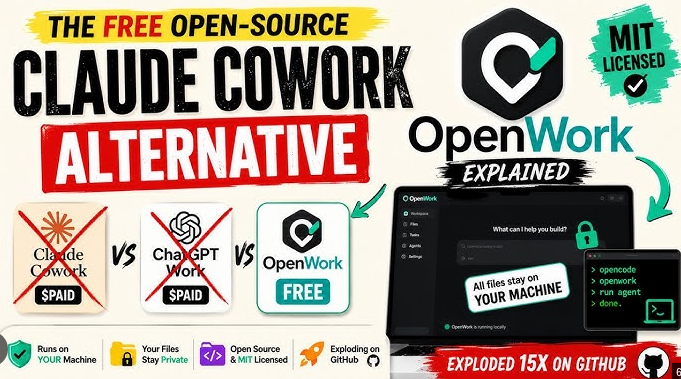
OpenWork is a desktop app – TypeScript under the hood, runs on macOS, Windows, and Linux – plus a small add-on that bolts onto the AI agents you already use. The main app is MIT-licensed and free, even for business use. The enterprise extras are source-available today and turn fully open after two years.
The core idea is worth understanding, because it’s the part that makes sense for a lab.
The usual way to give an AI more power is to keep bolting on more tools. And here’s the catch nobody warns you about: the longer that tool list gets, the slower the AI runs, and the more often it grabs the wrong one.
OpenWork’s answer is to take everything you’d hand an AI – a skill you taught it, a connection to another tool, your logged-in Google account, your logged-in Microsoft account – and file it all under a single label: a capability. Four completely different things, one name. They live in a catalog that belongs to you, not buried inside one app’s settings. And because they’re all the same kind of thing now, your AI never sees a hundred separate tools. It sees exactly two, forever. One button to search your capabilities and find the one that fits the job. One button to run the one it found. Add a thousand more capabilities behind those two buttons and the menu it has to reason over never grows past two. Under the hood there are well over a hundred operations. Your AI still sees two buttons.
That’s the whole trick. The abilities pile up. The buttons stay put.
Why a Homelabber Should Care?
Let me be clear about what OpenWork is not. It doesn’t ship with a “homelab mode.” There’s no Proxmox button, no “deploy my NAS” wizard. What it ships with is a way to give any agent your lab’s knowledge, your tools, and your logins – and keep all of it when you switch agents.
The homelab part is what you build on top. And that’s actually the point.
Think about what you know about your lab that no off-the-shelf AI knows. That the backup rotation runs at 2am and you never, ever touch the schedule on a Tuesday. That the VLAN for the kids’ devices is 10 and the VLAN for the cameras is 20, and mixing them is how you end up with a smart fridge that can see your bank login. That the Proxmox host is pve1, the NAS is tank, the DNS is on the Pi-hole, and if the Pi-hole dies, everything dies.
Right now, that knowledge lives in your head and in a few scattered markdown files. OpenWork lets you turn it into skills — procedures the agent follows instead of improvising. Teach it once. Then use it from Claude Code, Cursor, Codex, OpenCode, or whatever agent you’re using that week. The knowledge isn’t locked to a single app or vendor. You built it, it’s yours, and it moves when you move.
Why does that matter? Because the alternative is rebuilding your lab’s knowledge in every new app, forever. I’ve spent too many years watching shiny new tools lock my workflows into their ecosystem, only to die eighteen months later. A capability catalog that lives with you is the opposite of that. It’s the digital equivalent of a runbook that doesn’t belong to the company that printed it.
And because the app runs on Linux, it can live on a box in the rack next to the NAS. Your agent doesn’t have to live on your work laptop. It can live where the lab is.
Setup: The Part I Expected to Hate
I’ll be honest. I expected the setup to be the part that ate my afternoon. It wasn’t. There are three ways in, and all of them are free.
The desktop app. Download it for Mac, Windows, or Linux, install it, sign in. You get a focused workspace for building and testing your skills before you point them at anything. Fine. Boring. Good.
The one-liner. If you already use an AI agent, you bolt OpenWork on with a single command.
For Codex:
codex mcp add openwork –url https://api.openworklabs.com/mcp/agent
For Claude Code:
claude mcp add –transport http openwork https://api.openworklabs.com/mcp/agent
For OpenCode, you add a JSON block to your opencode.json that points at the same endpoint. After the command, your client opens a browser, you pick your OpenWork organization, and you’re done.
The one-prompt. You don’t even have to run a command. Copy a single prompt, paste it into any agent that can run shell commands, and it installs OpenWork, creates your first workspace, and opens it. One go.
The whole thing took less time than the coffee I was drinking while I did it. I’m not saying that as a compliment to the coffee.
What It Actually Does in the Lab
In the demo I watched, the shape of it was simple: hand it a task in plain words, pick a model, and it goes and does the work. In one clip, OpenWork built a small data file, ran some code over that file, and opened the finished result. No wizard. No five-tab dashboard. A sentence in, a result out.
That’s the shape of what you get in a lab.
A few things I’ve found genuinely useful:
Skills as runbooks. “How I do a Proxmox backup rotation” becomes a skill. The agent follows your procedure instead of guessing. When it’s 2 a.m. and you’re half-asleep, you want it following the procedure.
Browser automation for admin panels. The agent can see and click the same Proxmox, router, and NAS web UIs you can. It’s not magic. It’s just a pair of hands that doesn’t get tired.
MCP connections for lab services. Bolt on the tools your lab actually runs. The two-button design means adding them doesn’t bloat the agent’s context, which is the part that usually makes these setups fall over.
A catalog that travels. Share a skill with a partner, or with your future self on a different machine. The setup follows you.
The Skeptic’s Corner
I’m not going to pretend there’s nothing to watch. It’s version 0.18. That’s early. It’s shipping fast, which is the good version of “it will change under you.” Expect rough edges. The free core is powerful, but some advanced features sit behind paid services.
And here’s the honest bit, the one I’d want to hear before I trusted a tool with my lab. The app is MIT-licensed and open. But the capability catalog runs through a hosted endpoint — api.openworklabs.com — with OAuth. So you are trusting them with the plumbing. What you are not trusting them with is your intellectual property. The skills and workflows you build are yours, portable, and not locked into their ecosystem.
For a sovereign homelabber, that trade is… acceptable. You’re giving up a little control over the pipe in exchange for keeping control over what flows through it. I can live with that. I’d just want it stated plainly, which is why I’m stating it here.
There’s also “Den,” the enterprise control plane – Okta integration, DLP, audit logs, cost tracking, internal marketplaces. It’s impressive. It is also completely unnecessary for a solo homelabber, unless your homelab has a compliance department, which, if it does, you have bigger problems than I do.
The Point
Your homelab is the one piece of infrastructure where you actually have sovereignty. You own the hardware, you own the data, you own the network. The least you can do is make sure your AI tools don’t quietly take that away from you.
OpenWork doesn’t just give you sovereignty. It stops your AI setup from being another thing you have to rebuild every time you switch apps. And for what it is – a free, open-source way to keep your lab’s knowledge portable – that’s more than most tools can say.
On my end, it’s still early. It’s still 0.18. But it’s the first “AI setup” I’ve seen that treats your work as yours instead of as a feature of their platform.
I’ll keep pointing it at the lab. So far so good, nothing’s on fire.