Jul 2, 2026
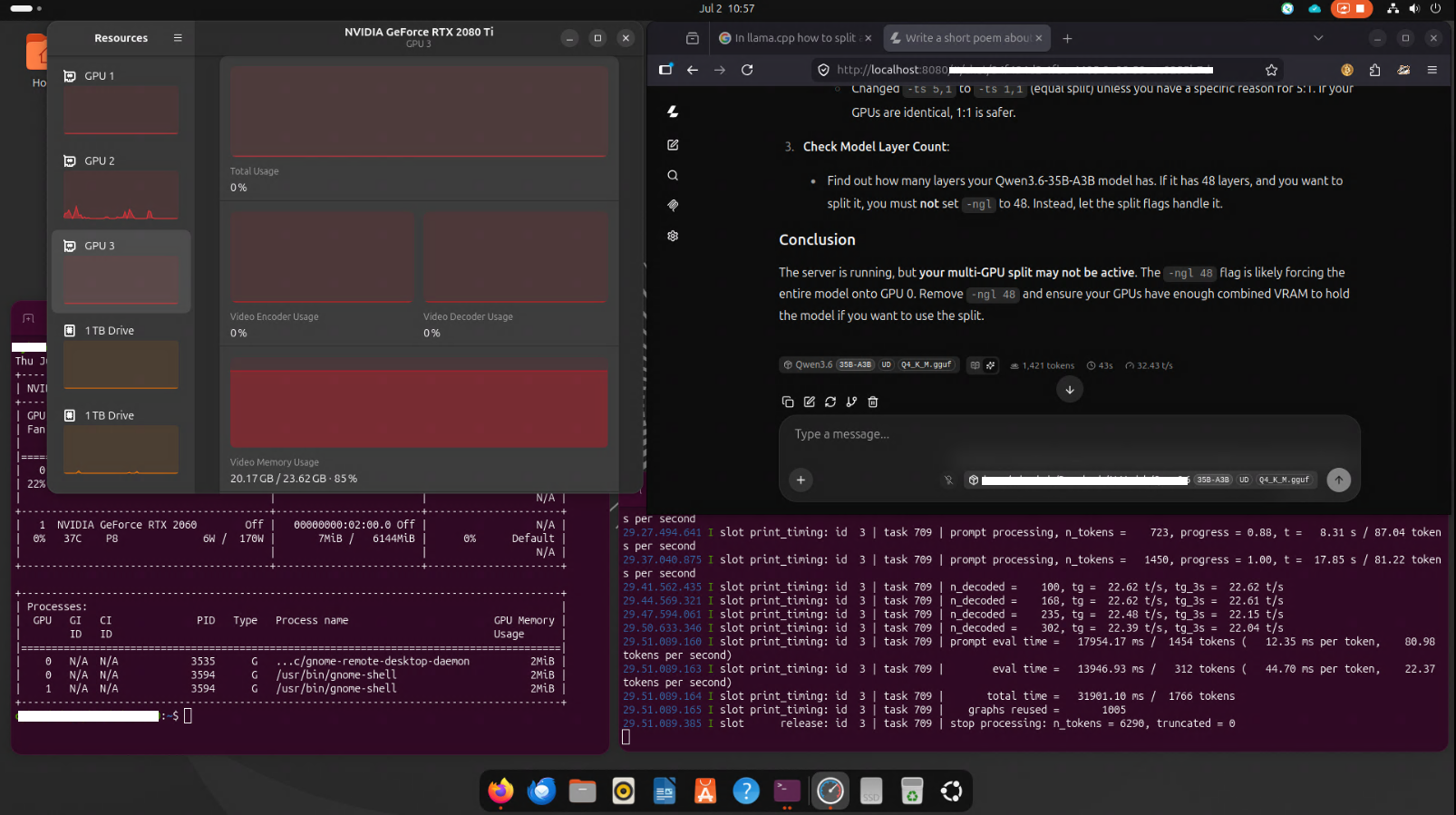
Initial performance trials for my Local AI server setup with 2 GPUs was promising, certainly with help coming from finetuning flags in Llama.cpp (big shoutout to Georgi Gerganov, luv your work!) that allows me to split up the 35B AI model into 2 GPUs with differing (6GB and 22GB) VRAMs.
Utilizing a highly specific configuration for llama.cpp’s llama-server, designed to run a large model (Qwen3.6-35B-A3B) across dual GPUs using split tensor mode, here is the breakdown of the flags configuration:
-ts 5,1: The Tensor Split flag.
It tells llama.cpp how to split the tensor layers across the available GPUs.
5,1 means: Split the model weights into 6 parts. Assign 5 parts to GPU 0 and 1 part to GPU 1. This is useful if one GPU has much more VRAM than the other, or if you want to balance memory usage unevenly.
Note: The sum of the numbers (5+1=6) must match the number of GPUs you are using. If you only have 2 GPUs, you might use -ts 1,1 (equal split) or -ts 2,1 (if one GPU is larger).
-sm layer: The Split Mode flag.
layer means: Split the model by layers. Each GPU gets a subset of the model’s layers. This is the most common and efficient way to split large models across multiple GPUs. Other options include tensor (split tensors within layers, used with -ts), but layer is standard for multi-GPU inference.
-mg 0: The Main GPU flag.
Specifies which GPU is the “main” GPU. It handles the final output and some control logic. 0 means GPU 0 is the main GPU.
-ngl 48: The Number of GPU Layers flag.
Normally, this tells llama.cpp how many layers to offload to the GPU.
However, when you use -sm layer and -ts, this flag is often ignored or used as a fallback. The actual split is determined by -ts and -sm.
Model & Memory Flags
-m /AI-Models/Qwen3.6-35B-A3B-UD-Q4_K_M.gguf: The path to the quantized model file.
-ctk q4_0: Context token key type. q4_0 is a 4-bit quantization for the KV cache. This helps save VRAM for the context window.
-b 2048: Batch size for prompt processing.
-ub 1024: Ubatch size for generation.
–no-mmap: Disables memory-mapped file loading. This can sometimes improve performance or avoid issues with certain storage setups.
-t 4: Number of threads for CPU processing (e.g., for prefilling or fallback).
-c 48000: Context size (max tokens in the context window). 48k tokens is large, so the q4_0 KV cache (-ctk q4_0) is critical to avoid OOM (Out of Memory).
Generation & Sampling Flags
–temp 0.2: Temperature for sampling. Low value = more deterministic/crisp outputs.
–top-p 0.95: Nucleus sampling threshold.
–top-k 20: Top-K sampling threshold.
–min-p 0.05: Minimum probability threshold for sampling.
–presence-penalty 0.0: No penalty for repeated tokens.
–repeat-penalty 1.0: No penalty for repeated tokens.
Server & Feature Flags
–jinja: Enables Jinja templating for chat templates.
–host 0.0.0.0: Listens on all network interfaces.
–port 8080: Server port.
-fa on: Flash Attention enabled. This speeds up inference and reduces memory usage for the attention mechanism.
–fit off: Disables “fitting” the model to the GPU. This is very important when splitting across GPUs, as automatic fitting can sometimes cause issues with split modes.
Potential Issues & Tips
VRAM Requirements: Ensure both GPUs have enough VRAM. Q4_K_M for a 35B model is ~18-20GB. With a 48k context and Q4 KV cache, you might need 30-40GB+ per GPU depending on the exact implementation. If you get OOM errors, try:
    Reducing -c (context size).
    Using -ctk q8_0 or f16 if you have more VRAM (but this uses more memory).
    Adjusting -ts to balance VRAM usage better (e.g., -ts 1,1 if GPUs are identical).

Performance: Splitting across GPUs adds communication overhead. Ensure your GPUs are connected via a fast interconnect (PCIe Gen4/5 or NVLink) for best performance.

-ngl 48: Since you’re using -sm layer and -ts, this flag is likely redundant. You can remove it to avoid confusion.
This configuration is well-optimized for running a large 35B AI model on limited VRAM by splitting it across two GPUs. 🚀